At a glance
Worth evaluating when the spoken script drives the edit. Budget for media usage and AI allowances, and test the final audio rather than judging only the transcript.
Descript
Best for: Interview and podcast editors working from speech; Creators making narrated tutorials; Small teams that can review transcript edits before delivery
A research-based look at Descript for interviews, narrated videos and podcasts, with a practical way to evaluate its editing workflow and usage limits.
Strengths
- Speech and video can be edited through the transcript
- Recording, editing and AI assistance share one workspace
- Published plans distinguish media usage from AI credits
Trade-offs
- Transcript accuracy still needs human review
- A transcript cut does not guarantee a natural audible transition
- Media hours and AI credits need separate budgeting
The reason to consider Descript
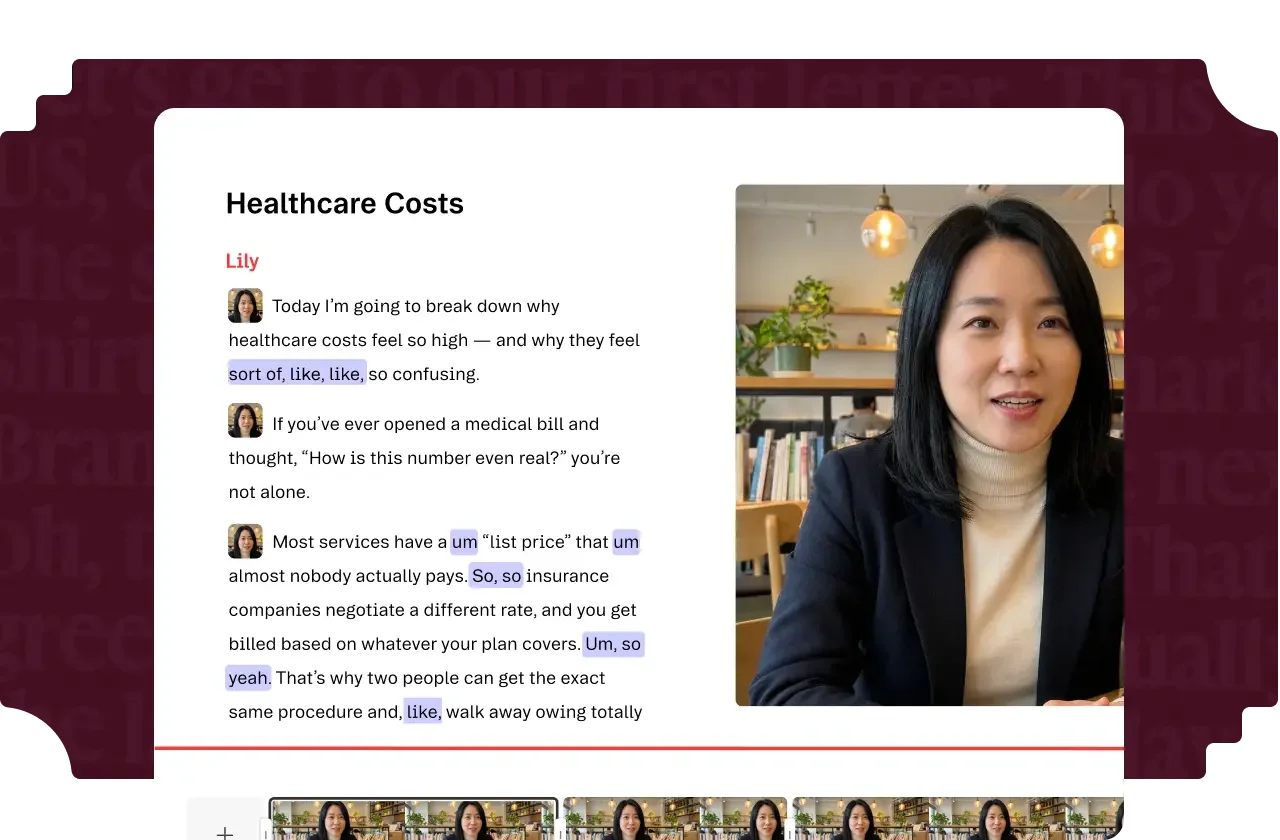
An interview edit often begins with a writing problem: which explanation belongs first, which digression can go, and where does the argument become repetitive? Descript is interesting because its editing interface brings that spoken material into a transcript. Its official product overview describes text-based audio and video editing alongside recording and AI tools.
That makes it a plausible candidate for speech-led work. It does not establish that every edit is faster, or that a text interface replaces all timeline decisions. This review is based on public documentation checked October 13, 2026; Pickora has not measured transcription accuracy or editing speed in a hands-on test.
A useful trial has a finished deliverable
Take an interview or tutorial that you have permission to process, preferably one with an interruption, an unfamiliar name and a sentence you expect to shorten. Decide the output before starting: a complete five-minute explanation, a short excerpt, or a publishable podcast segment. A realistic sample gives you something meaningful to evaluate.
First, check the transcript against the recording. Then make a structural edit and listen to the join. Finally, export and watch or listen without reading the text. This sequence helps distinguish three questions: whether the words were recognized, whether the intended passage was selected, and whether the resulting media actually works.
The last question matters most. Removing a repeated word can leave a distracting breath or an abrupt visual cut. Preserving a slightly imperfect sentence may convey the speaker’s meaning better. Our editorial view is that the transcript should help you make decisions; it should not become the only quality check.
Budget for the material you import
The source recording and finished episode are different quantities. If you record a long interview and publish a short excerpt, evaluate the plan against the material processed, not just the duration of the final clip. Descript’s usage documentation explains its separate media and AI accounting. Review how your intended actions consume each allowance before committing a whole production schedule.
The pricing page currently lists Hobbyist and Creator with different media and credit limits, as shown in the pricing section. These rates are a dated purchasing reference, not a promise about your checkout. Annual billing saves only if you continue using the product; a monthly test can be the more sensible initial commitment.
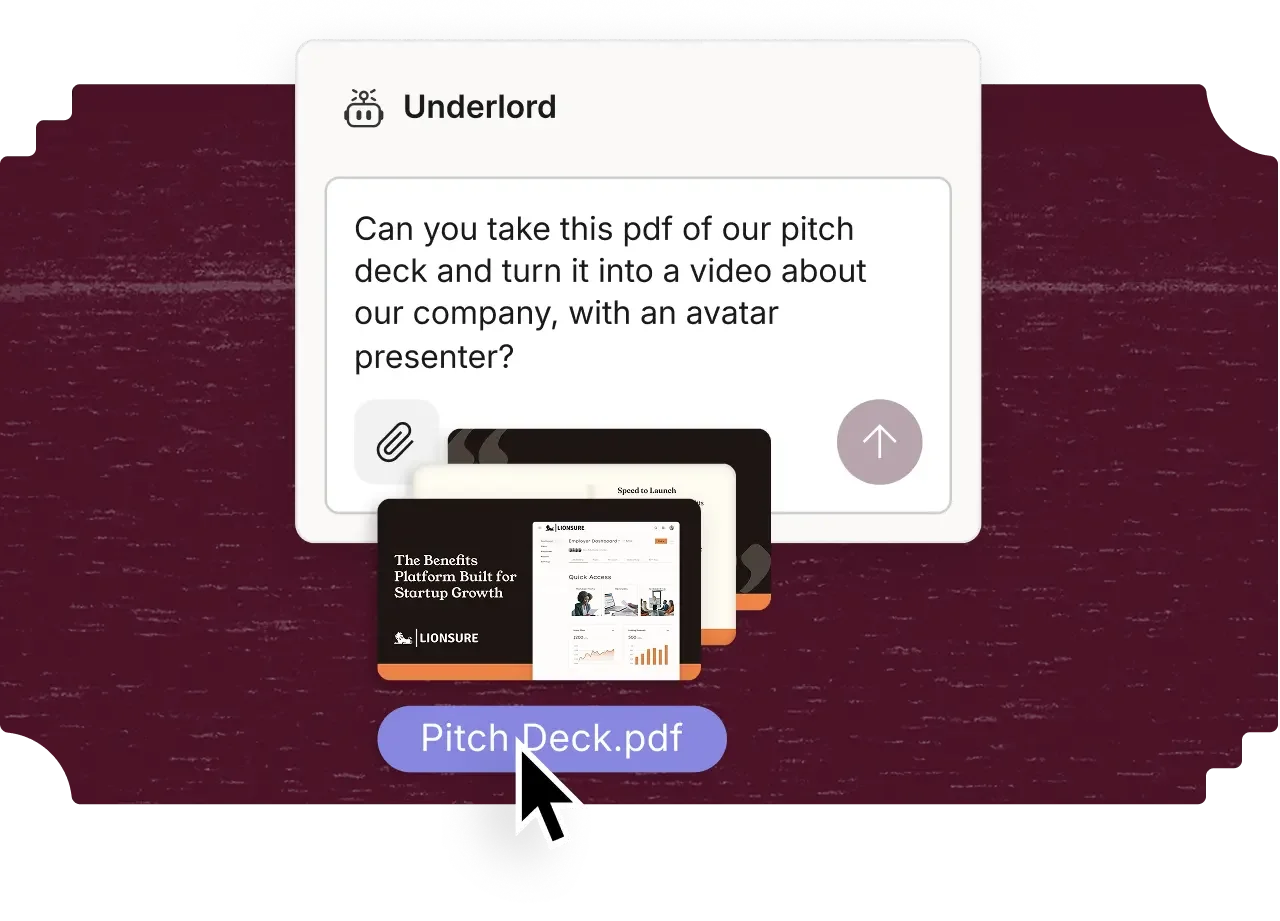
Vendor illustration of an AI-assisted request, not a video generated or tested by Pickora.
Keep assistance separate from approval
The Underlord example illustrates the breadth of the product’s AI ambitions. It does not demonstrate that a presentation can be converted into a correct, publishable video without editorial work. Check names, visual references, captions, context and permissions before using an assisted output.
For a small team, write down who owns that approval. The person correcting the transcript may not be the person who can approve a client’s claims. Avoid treating a clean-looking edit as evidence that all statements are accurate. Sensitive recordings also require an appropriate data-handling decision before upload, rather than after the project is already in a cloud workspace.
Where it fits—and where to pause
Descript deserves a trial when dialogue or narration is the backbone of your work and you want to organize it as readable text. If the essential work is elaborate visual sequencing, effects or detailed audio finishing, list those requirements first and verify the specific workflow rather than buying for the transcript feature alone.
Our recommendation is conditional: finish one representative piece, check the exported result, and record the usage it consumed. Keep the subscription only if that complete workflow earns a place in your production process. A polished product demonstration is useful context; your own deliverable is the purchasing test that counts.
Pricing and plans
Two different limits matter: imported or recorded media, and AI actions. Compare both against a representative project.
US dollar rates checked October 13, 2026; annual equivalents require annual billing. Taxes and checkout terms may differ.
Hobbyist — $16/month annually or $24 monthly
- 10 media hours per month
- 400 AI credits per month
Creator — $24/month annually or $35 monthly
- 30 media hours per month
- 800 AI credits per month
Questions & answers
Does a transcript edit guarantee a natural cut?
No. Listen to and watch the exported result. Transcript accuracy, the selected passage and the audible or visible transition are separate checks.
Are the quoted annual rates monthly subscriptions?
No. They are monthly equivalents requiring annual billing. Confirm the immediate charge, taxes and current limits at checkout.