At a glance
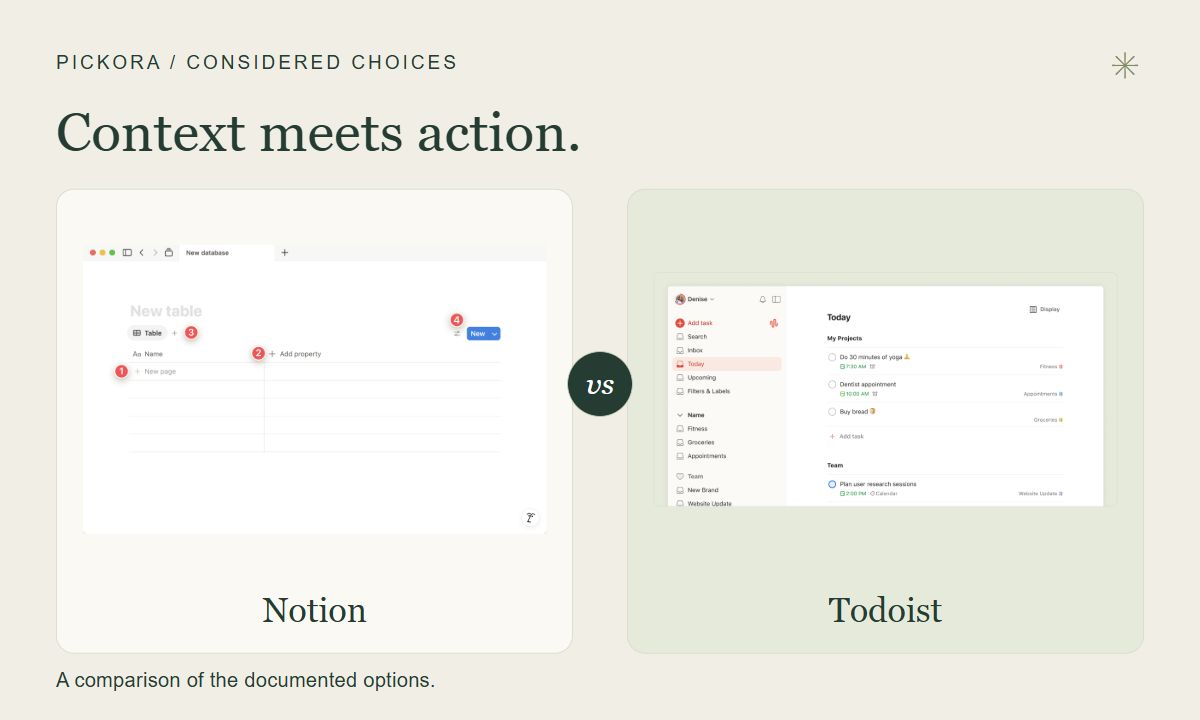
Neither is a universal winner. A workspace full of context and a credible daily task list solve related but different problems.
The comparison
Choose Notion: Choose Notion when the brief, notes and status belong together.
Choose Todoist: Choose Todoist when quickly capturing and acting on tasks is the main job.
| Criterion | Notion | Todoist |
|---|---|---|
| Basic unit | Database item with its own page | Task organized within a project |
| Organization | Properties and multiple database views | Projects, dates and task-oriented views |
| Evaluation question | Can everyone find the current brief and status? | Can I capture and select the next action quickly? |
Notion
Best for: Tasks with substantial notes and project documentation
A workspace where database items are pages that can carry project context.
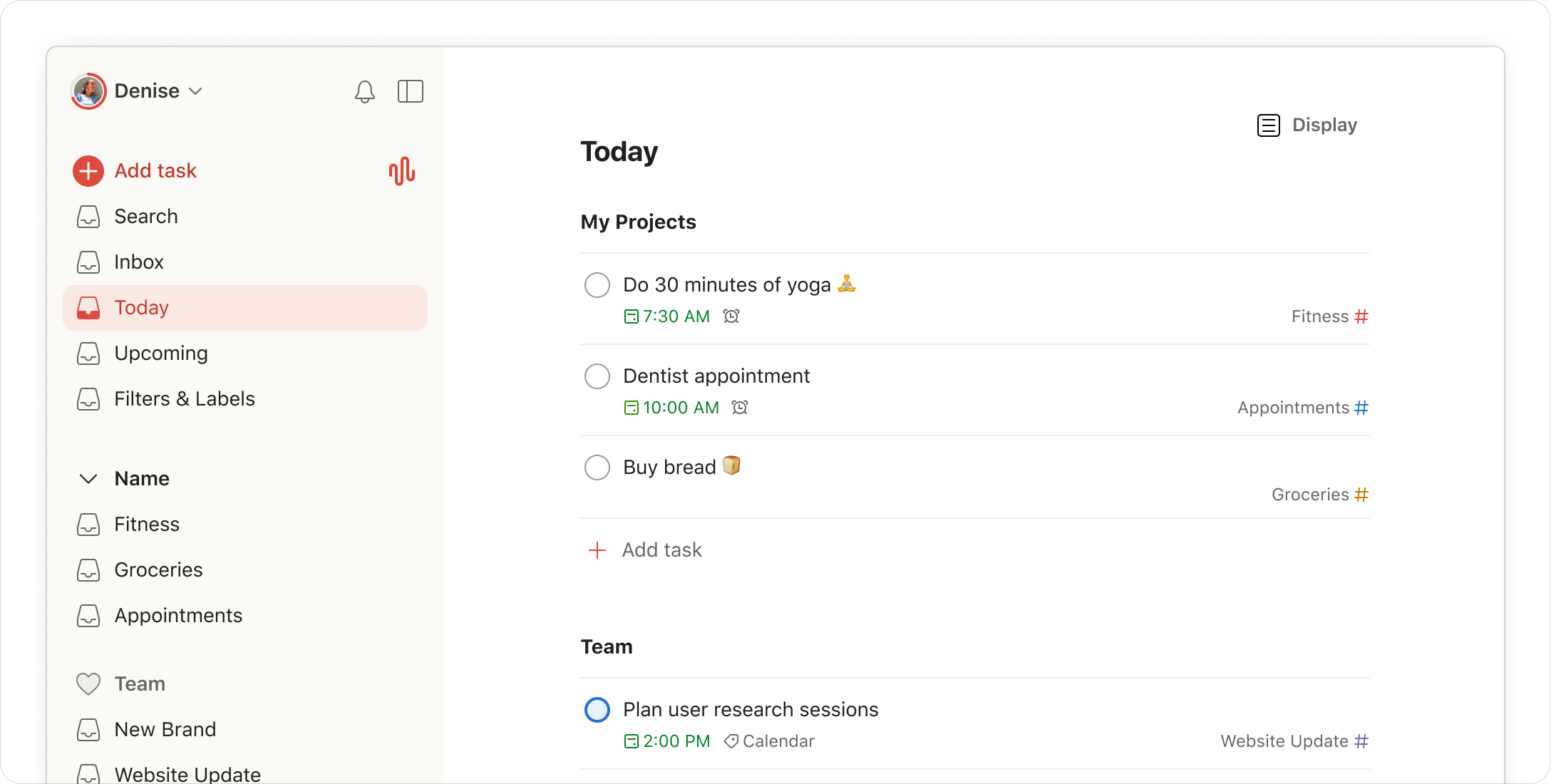
Todoist
Best for: A direct daily execution list
A task-focused workspace for collecting, dating and reviewing actions.
Basic unit
Decide how much supporting information an item needs.
Organization
Flexibility brings decisions about structure and upkeep.
Evaluation question
These are proposed trial questions, not measured results.
Who should choose each option?
Notion: Project decisions and reference notes need a common home; You are willing to maintain a database structure
Todoist: Capturing and completing tasks is the main need; You want recurring actions without designing a documentation system
Compare the work, not the screenshots
Imagine preparing a website update. You need a brief, examples, a list of changes and a deadline. Some people mainly need a reminder to do the next action. Others need to recover the reasoning behind that action several weeks later. That difference is a useful starting point for comparing Notion and Todoist.
This comparison uses official documentation checked October 13, 2026. It is an editorial interpretation of the products’ structures, not a timed usability test or a claim that one makes everyone more productive.
Notion: give the task a place to hold context
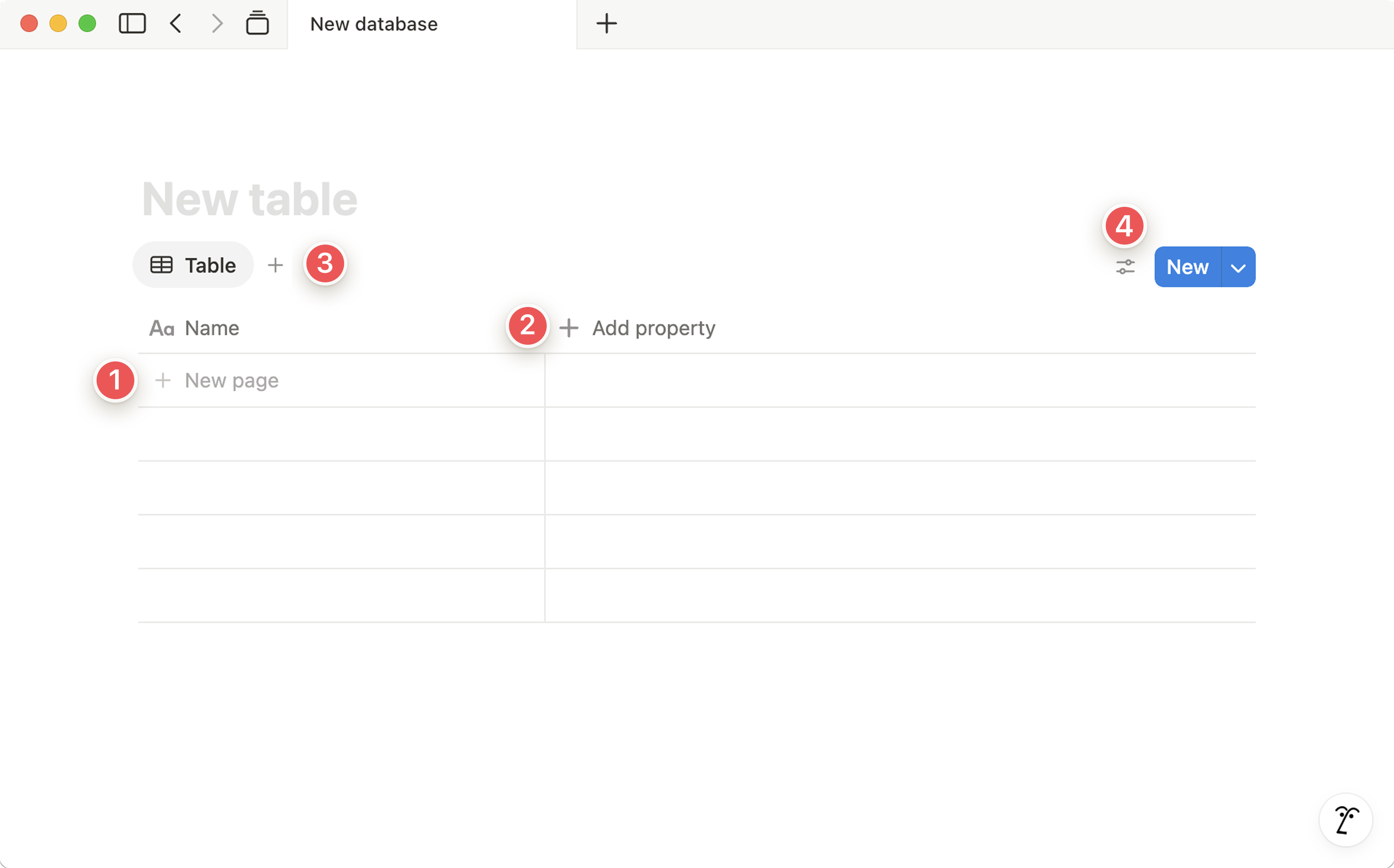
Notion’s database introduction describes collections of pages with properties and different views. Each database item can open as a page containing text or other content. For a website project, that means an item could hold the brief, decisions and supporting material as well as a status.
The benefit is a coherent place to return to. The cost is deciding how that place should work. If one person uses a status for approval and another uses it for production, the same board can communicate different things to each. Agree on a small structure before adding more fields.
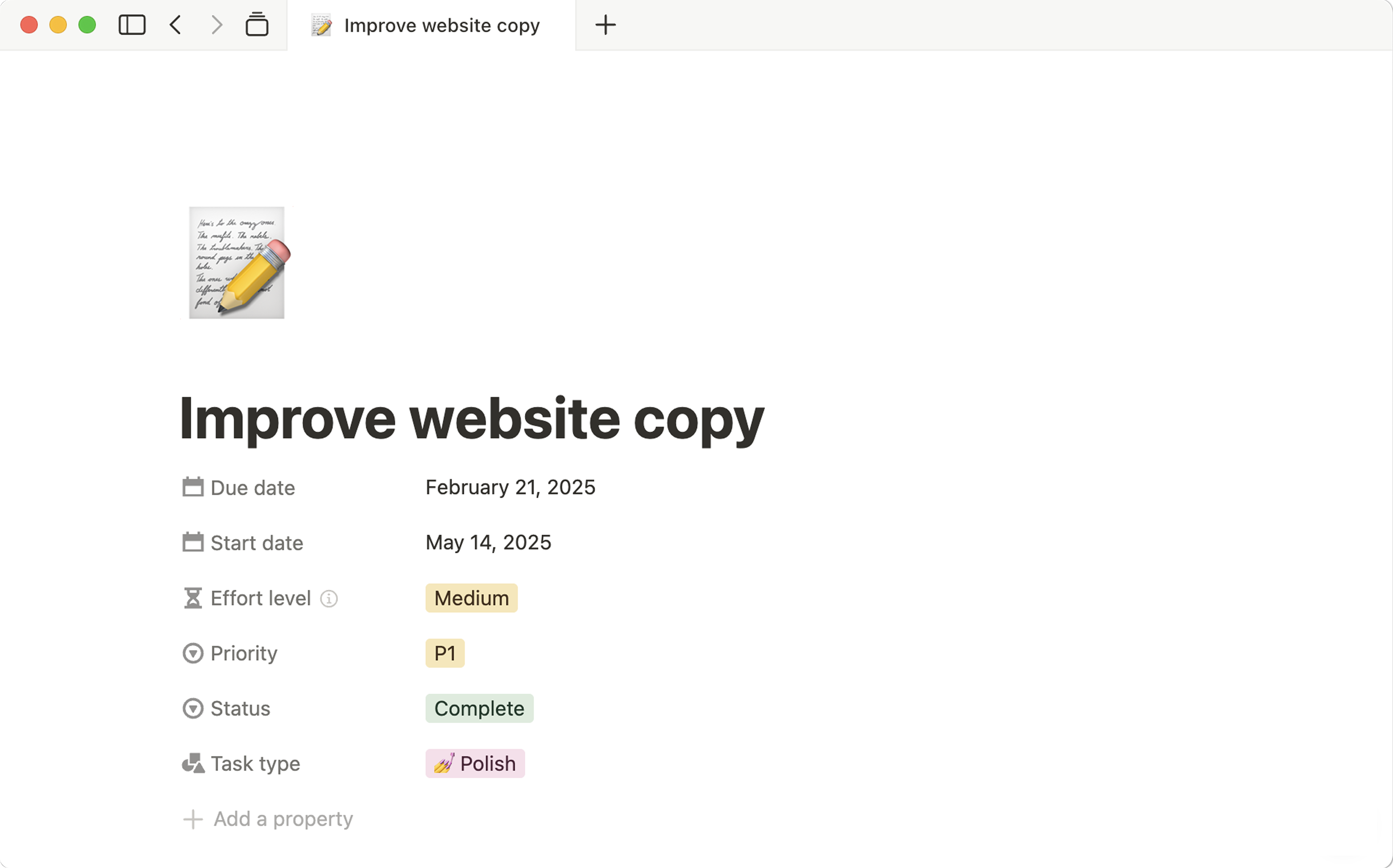
Vendor documentation example, not a project created or completed by Pickora.
Todoist: make the next action visible
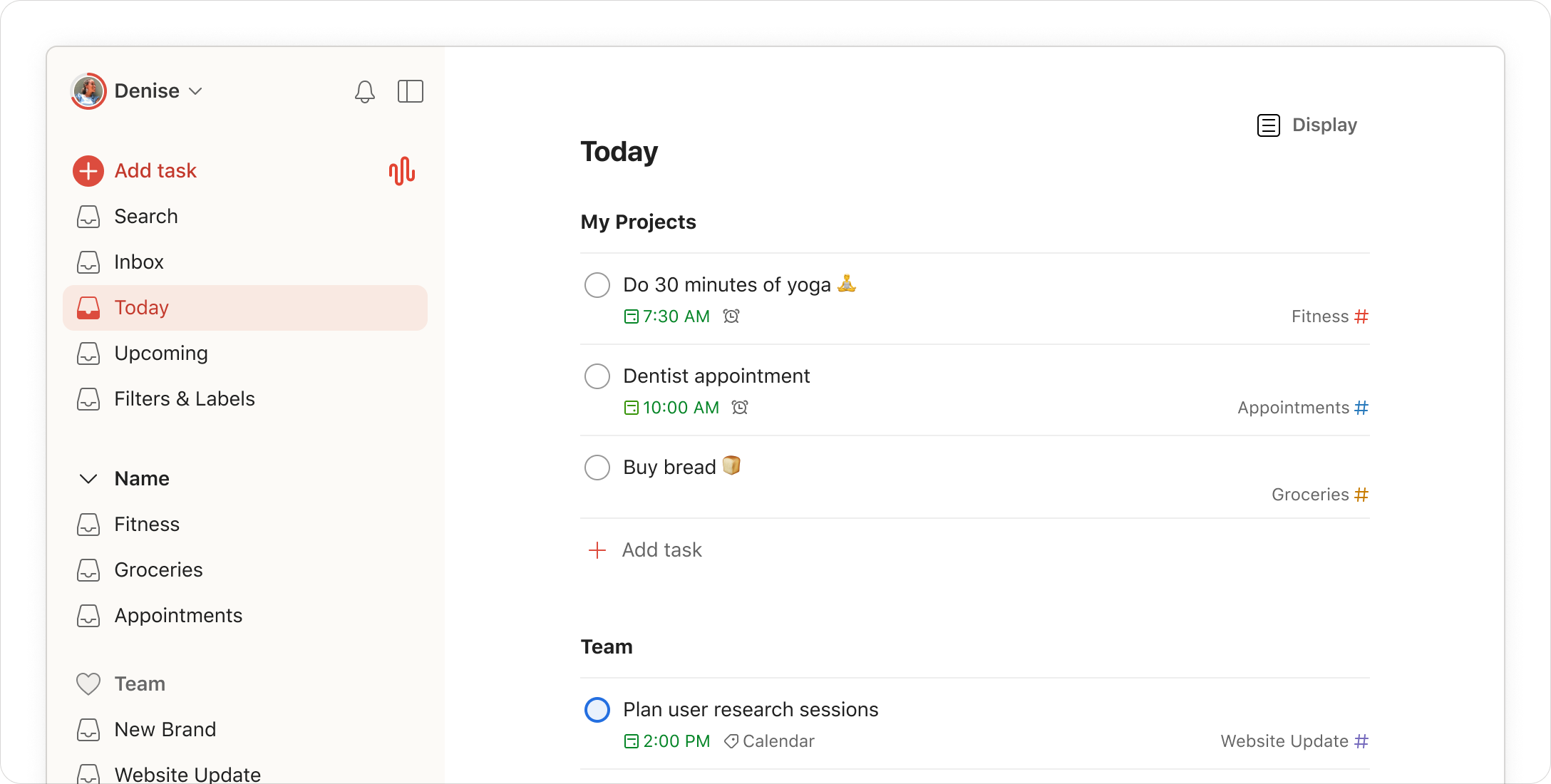
Todoist’s features overview centers on capturing and organizing tasks. For the same website update, your daily list might contain “review the mobile menu” and “send the revised brief.” The advantage we infer is a more direct focus on the action you intend to complete.
That does not mean Todoist cannot hold any context, or that Notion cannot manage tasks. The distinction is which structure you want to maintain. If the full specification already lives in another tool, a link and a clear next action may be enough. If the specification itself is the missing piece, another task list may not solve it.
Try the same project in both
Use a small, non-sensitive project with five actions and a short brief. In each product, capture a new task, find tomorrow’s commitment, update a status and recover the supporting information after a few days. Invite a collaborator only if collaboration is part of your actual requirement.
Keep a note of the steps that feel awkward. Did you have to search across several places to find the brief? Did you spend more time refining fields than completing work? Was a collaborator unsure which status was current? These observations are more actionable than counting templates or comparing promotional screenshots.
Two tools need a boundary
Using both can be reasonable, but define which one owns the deadline and which owns the project record. For example, a Notion page may hold the approved brief while Todoist carries a personal next action that links to it. This is a proposed arrangement, not a claim of automatic synchronization.
Avoid keeping two independent copies of the same task status unless you have a reliable process for updating them. A tidy system becomes difficult to trust if one copy says complete and the other still says in progress. Often a simpler boundary is better than a more elaborate integration.
Compare the real subscription scope
Read Notion pricing and Todoist pricing against the number of people and the capabilities you need. Member and guest arrangements, paid seats, project allowances and billing intervals are different concepts. A per-person figure alone does not describe the full cost of a team’s workspace.
Our conclusion is straightforward: evaluate Notion when project context needs a durable home; evaluate Todoist when personal task execution is the primary problem. Keep the choice tied to a workflow you can explain and maintain. Neither a sophisticated database nor a beautifully organized daily list can decide your priorities for you.
Questions & answers
Can both products manage tasks?
Yes. This comparison focuses on the information around the task: Notion database pages can carry project context, while Todoist is oriented around collecting and acting on tasks.
Can I use both without duplicating work?
You can define a boundary, such as a project brief in Notion and a personal next action in Todoist. This is a proposed workflow, not a claim of automatic synchronization.