At a glance
Choose around the job you repeat each week. ElevenLabs deserves a closer look when voice identity is central; Murf deserves one when script direction and media timing are central. Listen to both before committing.
The comparison
Choose ElevenLabs: You want to evaluate cloning or create narration within a broader audio/video toolset.
Choose Murf: Your priority is arranging, directing and revising scripted voiceover blocks.
| Criterion | ElevenLabs | Murf |
|---|---|---|
| Project structure | Studio supports prompt-led starts, script uploads and timeline editing. | Studio organizes narration into editable script blocks and a media timeline. |
| Voice identity | Instant and Professional Voice Cloning are documented options with separate requirements. | Check custom-clone availability and terms separately; do not assume a standard individual plan includes it. |
| Delivery controls | Model and voice settings matter; test the actual voice with your script. | Voice controls include pronunciation, pauses and delivery settings; some require a higher plan. |
| Commercial output | Paid-plan permissions have conditions and beta exclusions. | Paid Studio plans offer commercial rights; broadcasting permissions have a separate Enterprise boundary. |
| Fair evaluation | Evaluate pronunciation, revisions and usable export, rather than a promotional demo. | Use the same script and export requirements, then compare the actual plan needed. |
ElevenLabs
Best for: Creators who need a repeatable voice identity or want to explore several audio workflows.
A candidate for creators evaluating generated speech alongside voice cloning and audio/video project tools.
Strengths
- Instant and professional cloning have documented, distinct workflows.
- Studio combines narration and media in a project editor.
Trade-offs
- Cloning adds recording, verification and rights checks.
- A broad feature set can introduce extra usage to budget.
Pickora may earn a commission if you buy through this link. Read our disclosure.
Murf
Best for: People producing explainers or lessons who prefer to direct and revise a script block by block.
A candidate for script-led voiceovers built from editable blocks, with media and timeline controls.
Strengths
- Script blocks expose voice and delivery controls.
- The timeline places voiceover and media together.
Trade-offs
- Advanced delivery controls depend on the chosen plan.
- Free-plan previews do not establish a usable paid export workflow.
Who should choose each option?
ElevenLabs: Voice identity is part of your brief; You want to evaluate a broader audio/video workflow
Murf: Script-block editing matches your process; You prefer to organize narration and media in a voiceover project
A good voiceover tool has to survive the second draft. The first sample may sound promising, but your working day includes correcting a product name, changing a sentence and matching the result to a video. That is the useful starting point for this comparison.
This is a source-based workflow comparison, checked on October 13, 2026. Pickora has not run a controlled listening test or measured editing speed in either paid product. The fit judgments below are editorial analysis of the documented workflows.
Start with the work you repeat
Imagine two briefs. In the first, a creator needs a recognizable narration voice across recurring videos. In the second, a trainer needs to revise a lesson script and fit each paragraph around slides. Both need speech, but their difficult steps differ.
For the creator, evaluate the voice, permissions and repeatability before worrying about the number of editor controls. For the trainer, inspect how the editor handles a late script change and the timing that follows it. A tool that suits one brief need not be the right purchase for the other.
Write down three non-negotiables before opening either product: your target language and accent, the required export, and the task that currently takes the most effort. Use those requirements to narrow the trial. Avoid browsing dozens of voices without a script you actually intend to make.
ElevenLabs: evaluate voice identity and project scope
ElevenLabs documents two cloning approaches: Instant Voice Cloning uses short samples, while Professional Voice Cloning trains a dedicated model from a larger recording set. Those are different commitments. A short setup is appealing for exploration; a dedicated voice project also requires a recording and verification plan.
Professional cloning has an important ownership boundary: the account owner must clone their own voice. If a narrator wants to provide their voice, they must create and verify the professional clone on their account before sharing it. A consent email does not remove that product restriction.
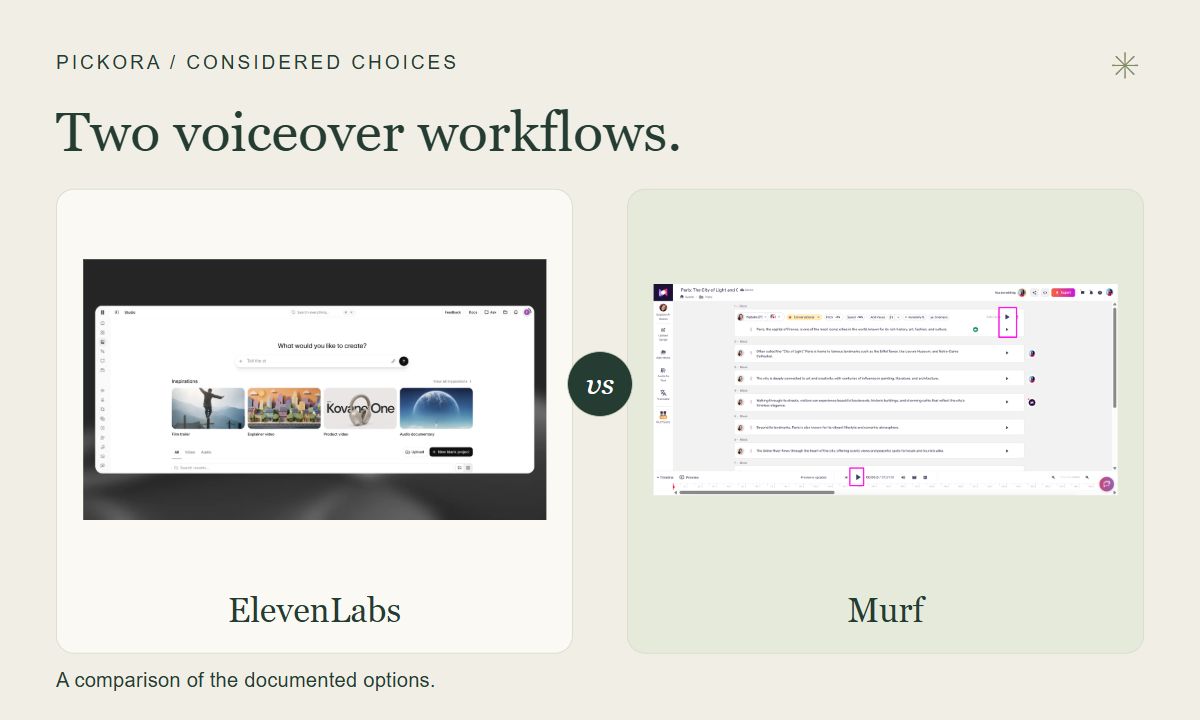
Its Studio documentation describes prompt-led project creation alongside script upload and timeline editing. That makes it worth evaluating if your brief includes narration, generated media and project assembly. It does not establish that the broader workflow will save you time. Try the smallest complete project that matches your actual work.
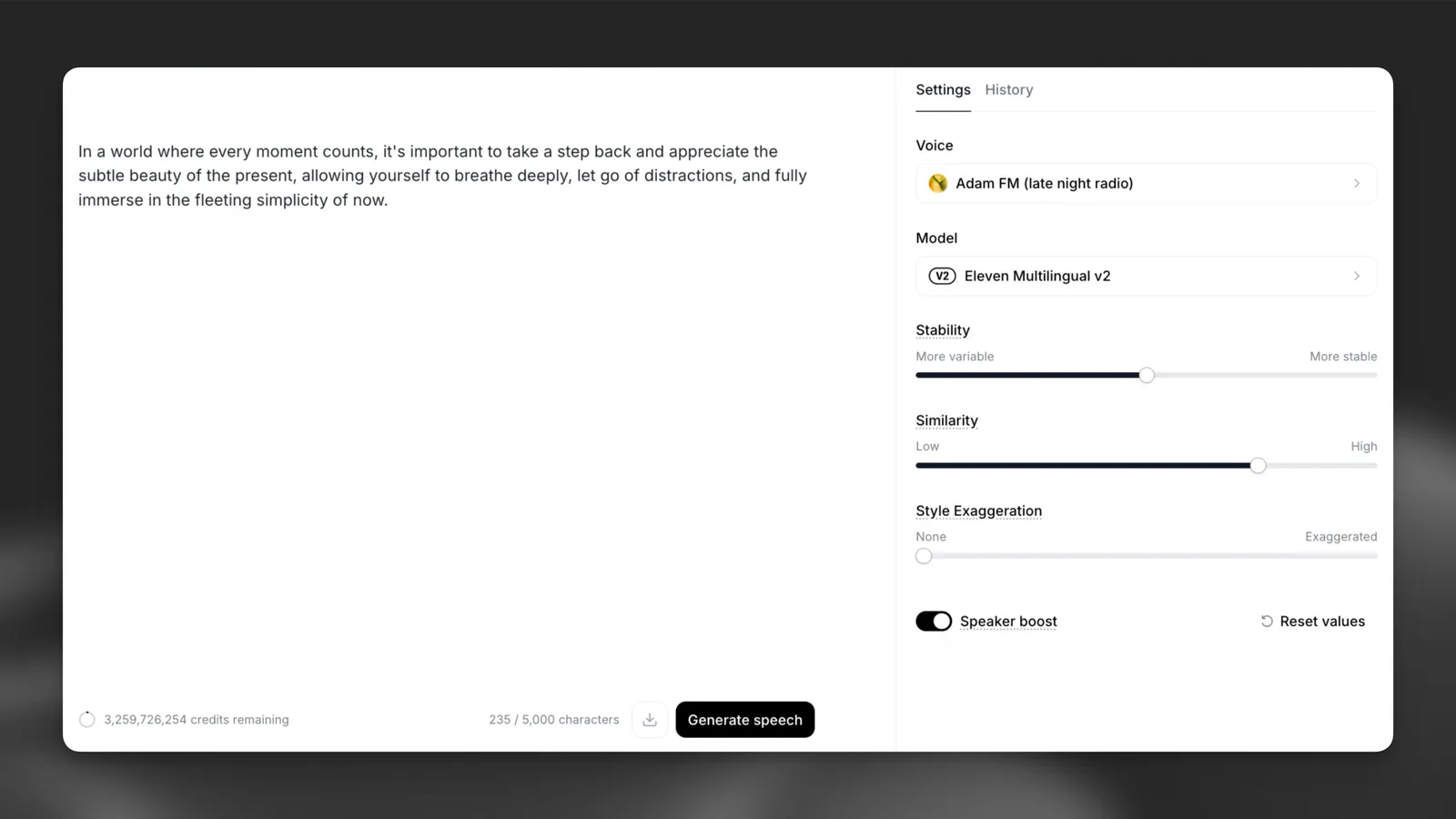
Official ElevenLabs Text to Speech documentation example with text, voice and model settings. It is not a Studio timeline or a Pickora test session; the documentation image shows an example configuration.
Murf: evaluate script direction and media timing
Murf’s Studio guide describes a text editor built around blocks and sub-blocks, voice controls, a media preview and a timeline. That structure offers a concrete evaluation path: place one paragraph in each block, adjust its delivery and check how it sits against your visuals.
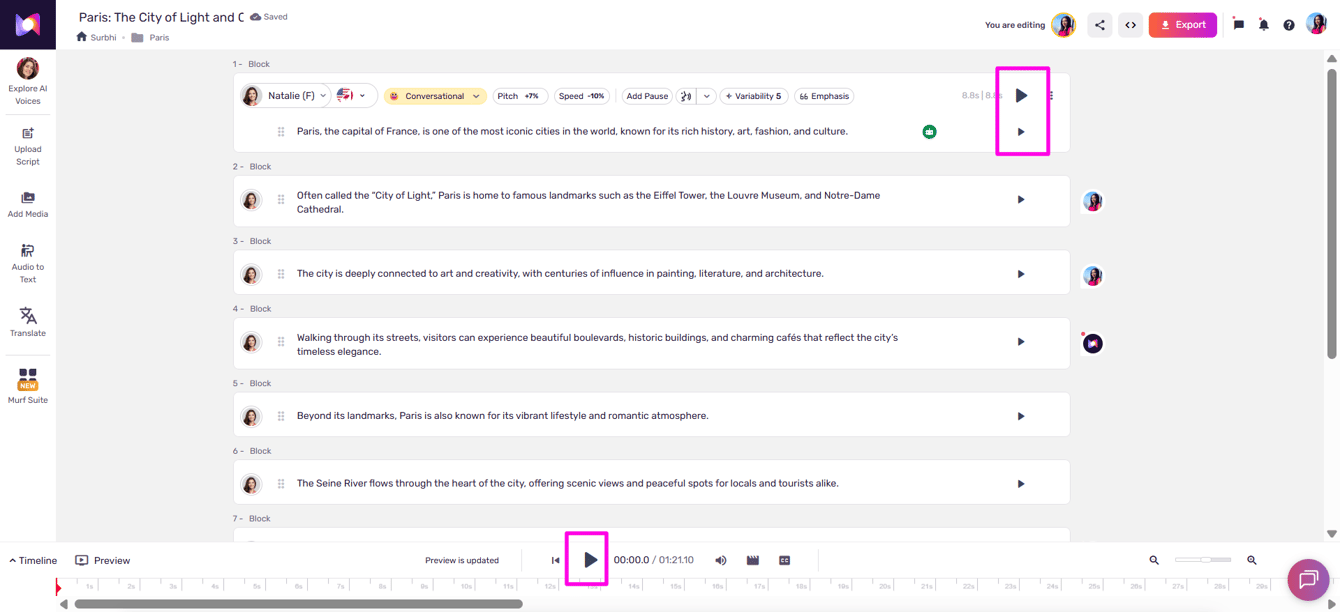
Official Murf help image highlighting block and project playback. The screenshot demonstrates the interface, not measured performance.
Do not assume every control visible in help material is included in the cheapest subscription. Murf’s pricing comparison separates advanced controls such as Emphasis, Variability and Say It My Way by plan. Confirm availability for the plan you would actually buy. An impressive demonstration of a higher-tier feature is a poor basis for buying a lower tier.
Murf’s help guidance also places project sharing in Enterprise. If colleague review is essential, check that boundary before designing your workflow around a shared project. You can still assess your own editing process without treating collaboration as an included individual-plan feature.
Compare the complete bill, then the permissions
Use the same billing period and deliverable when comparing costs. An annual monthly equivalent is an upfront annual commitment; a first-month discount is temporary. Neither should be set beside a regular month-to-month price without explanation. Murf’s pricing page is dynamic, so this comparison deliberately avoids a fixed price claim for its current checkout.
Write a small purchasing note with the selected plan, payment due today, renewal basis, usage allowance and features you need. Keep a separate line for revision work. The cost of a subscription that cannot export or direct your required project is not a useful saving.
Commercial rights need their own check. ElevenLabs’ output guidance conditions paid commercial use on rights and terms and excludes beta services. Murf’s license guidance says paid Studio plans provide commercial rights, while traditional TV and radio broadcasting rights are restricted to Enterprise. Neither statement clears your script, music or another person’s voice automatically.
A short evaluation that can change the decision
Prepare a 150–250 word script containing your brand name, a date, an acronym and one sentence that needs emphasis. Use the same text in both candidates. Choose a plausible production voice in each rather than forcing two dissimilar voices into a supposedly scientific comparison.
Listen once without editing. Mark pronunciation errors, rushed clauses and unwanted pauses. Make one wording change and one delivery change. Then check the export settings and the plan required to finish. Free access may not let you complete that last step, so record the restriction instead of assuming a preview equals a production file.
Keep your notes in four columns: acceptable first pass, correction required, correction possible on the selected plan, and export suitable for the brief. This is a suggested evaluation method, not a test Pickora has performed.
If voice identity is your difficult step, begin with ElevenLabs. If arranging and directing a script is the difficult step, begin with Murf. If neither result meets the brief after a modest revision, consider a human narrator or a different production workflow rather than upgrading solely in the hope of better sound.
Questions & answers
Which one sounds more natural?
This comparison does not include a controlled listening test. Judge representative samples in your target voice, accent and language rather than treating feature lists as evidence of sound quality.
Can I use the free plans for client deliverables?
Do not assume so. ElevenLabs excludes commercial use of Free output under its published guidance. Murf lists no downloads and no commercial rights on its Free offering. Check the current feature and license terms before creating deliverables.