At a glance
Treat a voice clone as a production asset that needs ownership checks, consistent samples and a release process. Decide who owns the voice and account before uploading anything.
- Professional Voice Cloning requires the account owner’s own voice and verification.
- Keep recording samples consistent and inspect privacy settings before upload.
- Review generated speech and commercial eligibility before release.
A recurring voice can make a series feel consistent, but the setup deserves more thought than selecting a file and pressing upload. Before creating a clone, decide whose voice it is, who controls the account and how you will review each generated recording.
This checklist draws on official ElevenLabs documentation checked on October 13, 2026. It describes preparation and review steps; Pickora has not created a clone or tested likeness for this article. The suggestions are a practical production workflow, not a guarantee of audio quality or legal clearance.
1. Define the voice project before collecting samples
Write a short brief: the speaker, intended projects, target audience, delivery style and person responsible for approving the final audio. For your own tutorials, this may be straightforward. A business project involving a narrator needs a clearer division between the voice owner’s permission and the editor’s access.
Keep the brief narrow enough to guide recording. “Calm explanations for product tutorials” gives the speaker a usable direction. Mixing energetic advertisements, quiet narration and casual interviews into one sample set can make the target performance ambiguous.
Also consider whether cloning is necessary. A suitable library voice or a recorded human performance may meet a one-off brief with less setup. Choose a clone when a recurring voice identity has a purpose you can describe.
2. Confirm ownership and the correct account workflow
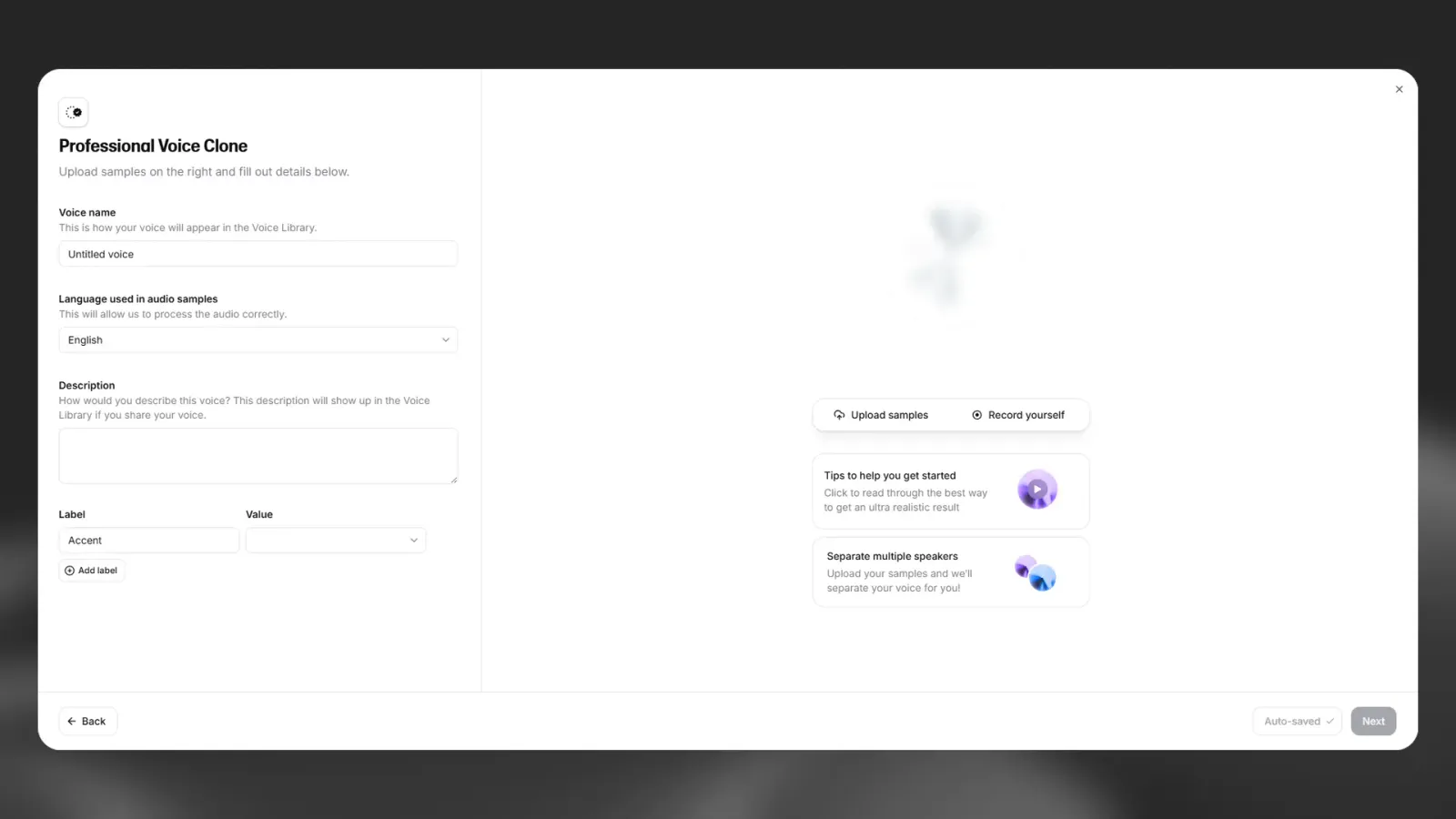
ElevenLabs distinguishes Instant and Professional Voice Cloning. Instant cloning uses a shorter sample-based process; professional cloning creates a dedicated model from more voice data. The distinction is not permission to upload any voice recording you possess.
For Professional Voice Cloning, ElevenLabs’ specific ownership rule is clear: only your own voice can be cloned on your account, and verification is required. Even another speaker’s consent does not let you create their professional clone on your account. The speaker can create and verify their own clone, then share it through the supported process.
Pickora editorial checklist based on the recording discussion below; not an uploaded or tested voice sample.
For any permitted use involving another person’s recordings, retain a clear agreement about the intended projects, who may generate speech, access duration and what happens when the work ends. That is an operational record, not a substitute for the vendor’s rules or any rights that apply to the project.
Do not use public interviews or social-media clips as a shortcut to permission. The availability of a recording is not evidence that its speaker authorized your use.
3. Record for consistency, then inspect the files
Use a quiet space and a stable recording setup. Keep the speaker’s distance, level and delivery similar across takes. Listen for room echo, background music, interruptions, clipping and other speakers before adding a file to the sample set.
The goal is to supply the performance you intend to reuse. A soft explanatory delivery and an exaggerated character performance belong to different briefs. More recorded time is not automatically more useful if the additional files change the intended voice style.
Use a short sample session before recording a large batch. Listen back on headphones, identify problems and correct the setup while the speaker is still present. Avoid collecting hours of unsuitable material and expecting the cloning process to repair it.
Label source files clearly and keep originals in a controlled location. Record the speaker, session and intended use in your project notes. Check the current upload guidance in the account rather than assuming a file format or sample-duration rule from an older tutorial still applies.
4. Check data-use choices before upload
Recording samples can contain personal information beyond the voice itself. Remove unnecessary names, account details or confidential script material from a sample brief. Keep the recording focused on the intended performance.
ElevenLabs’ data-use support page explains how to change model-improvement preferences through the profile menu, under Terms and privacy, then Data use. It says disabling the improvement option stops new submitted data from being used for training.
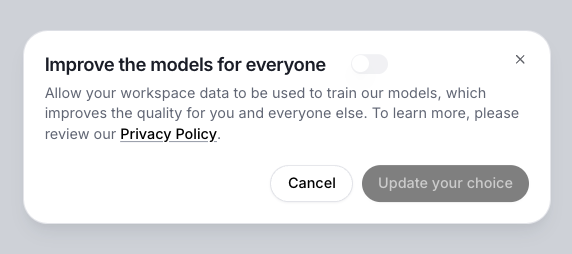
Official ElevenLabs support image of the model-improvement preference. This setting is narrower than a general promise about retention or previously submitted data.
Review the preference before submitting your files and record the choice for the project. Do not assume disabling it deletes earlier uploads or settles every privacy question. For sensitive work, read the current terms and obtain the information you need before uploading.
5. Use a release checklist for every generated recording
Keep a short test script that includes your common names, acronyms, dates and punctuation. After a clone is available, generate a representative sample and listen through the entire file. Check pronunciation, pauses, tone and whether the delivery suits the brief. A plausible first sentence does not establish that a complete narration is ready.
For final output, compare the audio against the approved script. Mark changes that require regeneration and recheck the corrected section in context. Confirm that titles, numbers and product claims remain accurate. A convenient voice workflow should not weaken the editorial review of what the voice says.
Check commercial-use eligibility before releasing monetized or client work. ElevenLabs’ guidance distinguishes paid output from Free output and excludes beta services from commercial and production use. Keep the relevant generation and permission records; do not assume a paid account clears third-party material automatically.
Where your client or publishing platform requires AI disclosure, build that requirement into the release checklist. Review the applicable rules directly instead of assuming a voice that sounds plausible needs no disclosure.
6. Plan access and handover before relying on the clone
Decide who can generate speech, who approves releases and who can change access. If a narrator is sharing a verified voice, agree on what happens when the project ends. Avoid passing account credentials between collaborators; use the supported access workflow.
ElevenLabs documents that a clone cannot be downloaded as a standalone model. An exported audio file and a portable cloned-voice model are different assets. Keep permitted source recordings and completed audio in your own project storage, and account for the service dependency if the voice becomes central to a recurring series.
The practical stopping point is simple: do not upload until the ownership, account and recording questions are clear. Do not release until the script, audio and permission checks are complete. A little preparation makes the later creative decisions easier to evaluate.
Useful resources
ElevenLabs voice tools
Explore the current cloning workflow after completing the ownership, recording and release checklist.
Pickora may earn a commission if you buy through this link. Read our disclosure.
Questions & answers
Can I professionally clone a hired narrator on my account with their permission?
ElevenLabs says no. The narrator must create and verify their own Professional Voice Clone on their account, then share it with you using the supported sharing workflow.
Can I download the cloned-voice model?
ElevenLabs documents that clones cannot be exported as standalone files. Generated audio and access to a voice through an API are different from possessing a portable model.
Does turning off model improvement remove all earlier data?
Do not infer that. The support guidance says disabling the setting stops new submitted data from being used for training. That is narrower than a promise about previously submitted data or its deletion.