At a glance
Set a decision deadline before automatic billing, then evaluate a complete client workflow with safe sample data. Keep notes on manual work, review responsibilities, access and export limits before committing.
- Confirm the trial deadline and cancellation route before signing up
- Evaluate handoffs and a reviewed sample letter without submitting disputes
- Inspect permissions and export scope before entering sensitive client information
- Resolve legal obligations before activating client billing
Part 2 of Pickora’s Credit Repair Cloud series: turn your shortlist into a practical evaluation. Start with Part 1: the product review if you still need the overview and pricing comparison.
Decide what the trial must prove
A trial is most useful when it ends with a decision you can explain. For Credit Repair Cloud, that decision should rest on a few ordinary jobs: preparing a client file, reviewing correspondence, assigning work and retrieving information when someone leaves the team or the business changes tools.
This checklist is a suggested evaluation plan based on current documentation. Pickora has not completed these steps in a live account. It does not demonstrate credit-score improvements, dispute success or legal compliance. Use vendor demonstration records where available, or ask support how to evaluate safely before entering real consumer information. Do not invent identities to submit actual disputes.
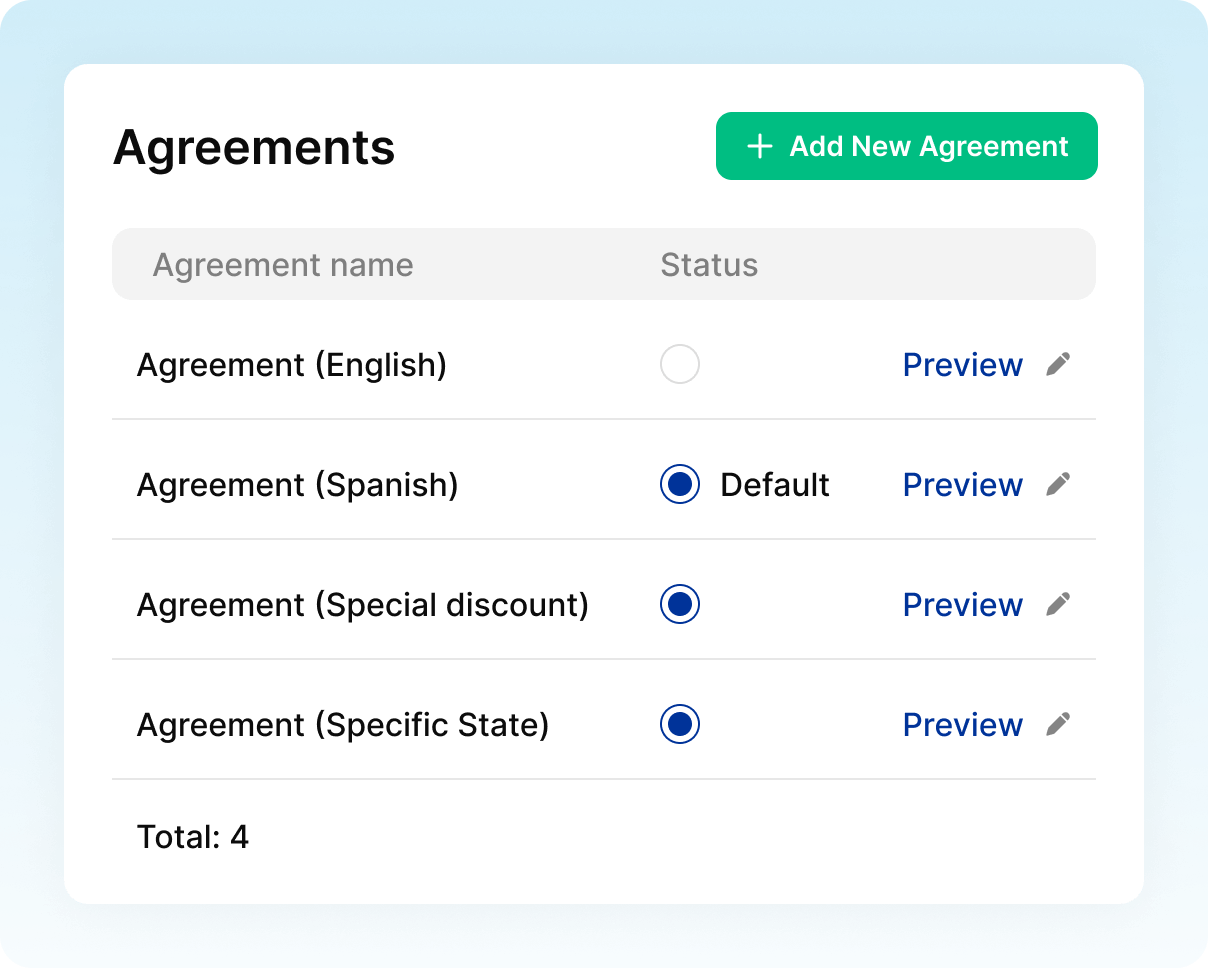
The opening image is an official vendor visual of agreement management, sourced from Credit Repair Cloud’s onboarding page. The two other images show scheduling and team roles. These are vendor presentation visuals of the product interface, not independent test screenshots or approved legal documents.
Before signup: record the billing deadline
The trial terms describe a 30-day trial that becomes a paid subscription unless canceled before it ends. Cancellation is self-service through My Account; the terms say phone and email cancellation requests are not accepted. Confirm the offer and billing date shown during your own signup, then set an earlier decision reminder.
The fee you pay the software vendor is separate from the fees your business might charge clients. Do not use a SaaS billing schedule as a model for collecting credit repair service fees.
Avoid committing to an annual plan simply to reduce the displayed monthly equivalent. First establish that the workflow fits, then compare the current commitment and renewal terms. For the current plan table, see Part 1: our Credit Repair Cloud review.
Check 1: follow one onboarding record from start to finish
The company documents online client agreements, including default and custom agreements. Use that feature description to prepare questions for a demonstration rather than assuming a supplied template is ready for your business.
Ask the vendor to show how a record moves from an inquiry to an organized client file. Note what the operator enters, what the client receives and which actions still happen elsewhere. Review how your own approved agreement would be presented and how you would retrieve the resulting record later.
A useful result is a written list of the steps that remain manual. If a staff member needs to copy key information into a separate spreadsheet, record that fact. Manual work is not automatically a failure, but it belongs in the buying decision.
Have qualified counsel review your contracts, disclosures, cancellation process, advertising and fee collection before you use them with customers. The presence of a state-specific agreement label in a vendor image does not establish suitability for a particular state.
Check 2: make the next action visible
The business-management page describes calendars, assigned tasks and filters. Choose a realistic handoff to examine: a document request comes in, someone reviews it, and another person must follow up.
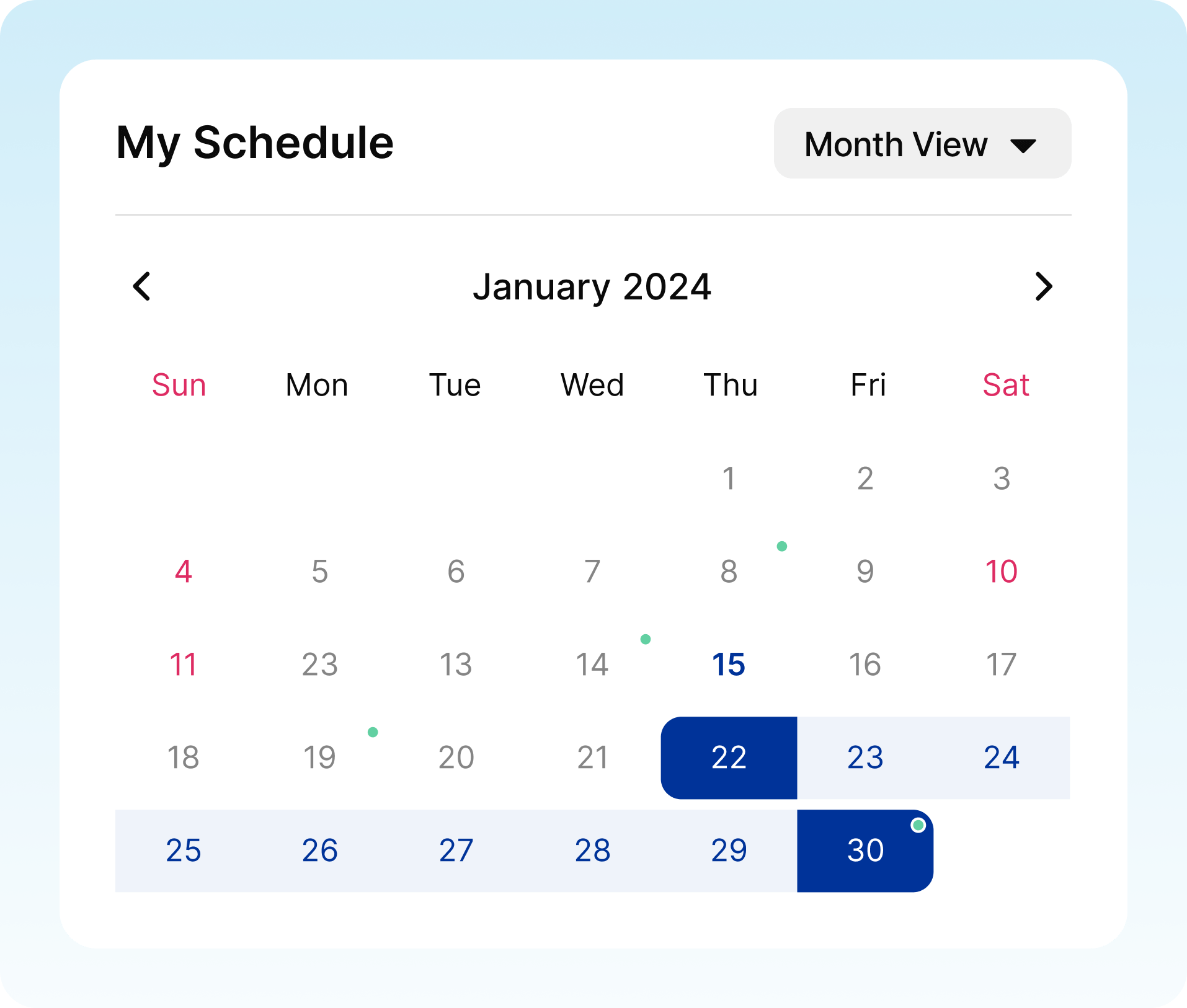
Vendor scheduling visual. Source: Credit Repair Cloud’s business-management page. The January 2024 calendar is illustrative interface content, not a current appointment schedule.
Check who owns each action, how a due date is found, and what happens when work is reassigned. Then ask a colleague to explain the next step using only the record. If they need a separate verbal explanation, investigate what information is missing.
Do not score the software by how many reminders you can create. The practical question is whether a person starting work in the morning can find the right task and understand why it matters. Keep examples and unresolved questions in your evaluation notes.
Check 3: review a letter without sending it
Ask for a demonstration of the dispute-preparation workflow using safe sample data. Examine the proposed correspondence, its source information and how an operator corrects mistakes. Stop before submission: evaluating software does not require sending a real letter.
Make a small review checklist: the correct person, the correct account, a supported explanation, an appropriate requested correction and a reviewer who can approve or reject the draft. This is Pickora’s suggested evaluation method, not a claim that every item has a dedicated control in Credit Repair Cloud.
The FTC warns against promises to remove accurate, up-to-date negative information and against false identity-theft reports. A draft should never acquire an unsupported statement just because a template or AI tool supplied it.
For the documented dispute and AI features, read the feature assessment in Part 1. This exercise focuses on your review process and the effort required to maintain it.
Check 4: inspect permissions and the exit route
Before adding colleagues, identify what each job actually needs to access. Ask for a demonstration of role permissions with separate sample accounts, including whether an ordinary staff role can see records or settings outside its responsibilities.
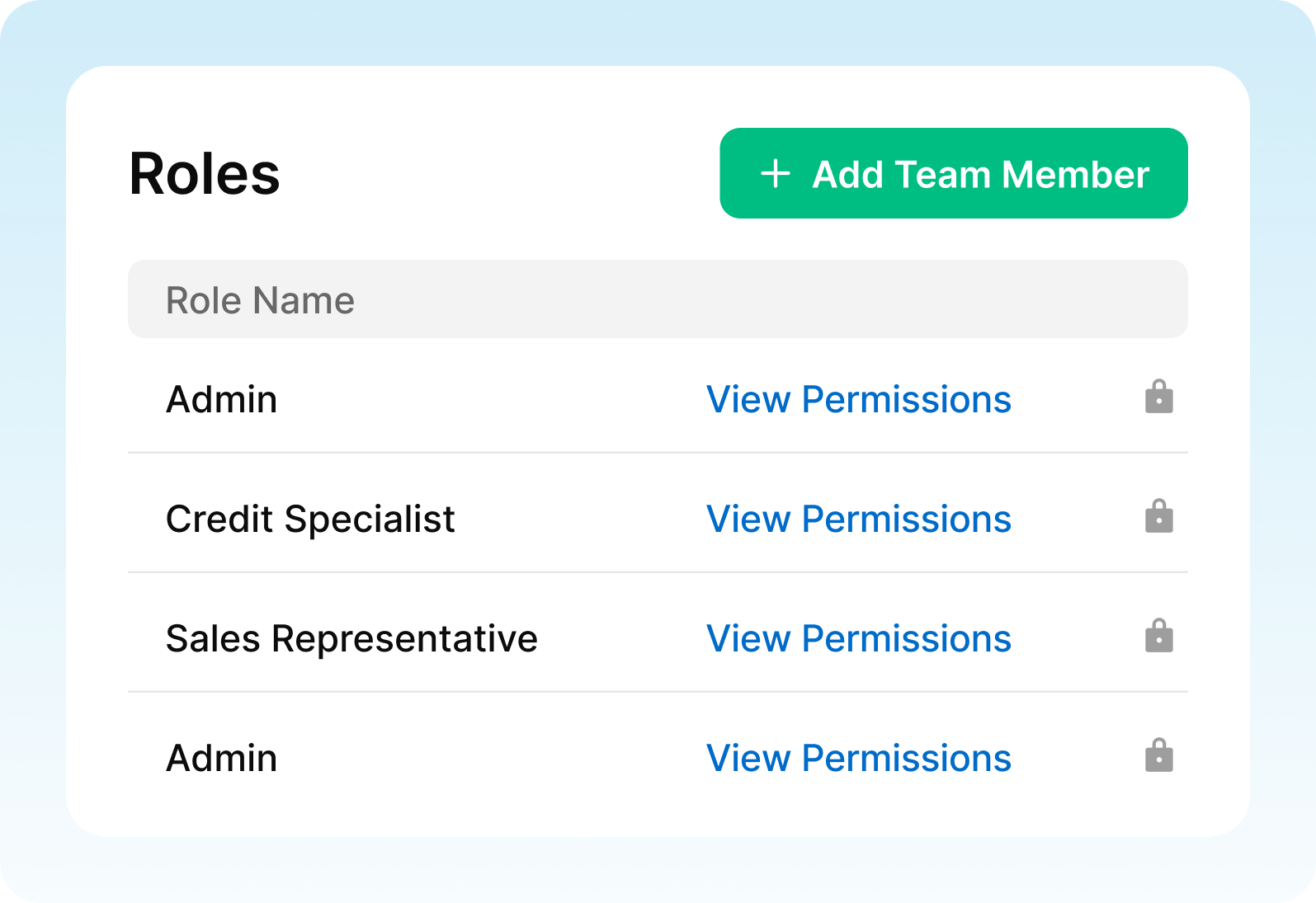
Vendor team-role visual. Source: official business-management page. Labels and padlock icons do not independently verify access enforcement.
Use the security page as a starting point for questions. Pickora has not independently audited the platform’s security. Request the current information your business needs about authentication, access logs, retention, deletion and data handling; do not infer those details from a marketing badge.
Also inspect export options before cancellation. The help center documents CSV exports of clients and leads. A contact export should not be assumed to include every attachment, signed agreement, letter or activity record. Ask what leaves the system, in which formats, and how you would retrieve anything excluded.
For UK or EU operations, separately assess local credit-reporting compatibility and data-protection requirements. This US-focused checklist does not establish cross-border suitability.
Check 5: separate workflow convenience from lawful billing
Credit Repair Cloud’s billing tools deserve scrutiny alongside its other features. In the CFPB’s case record, the August 2024 final order addressed illegal advance-fee assistance and imposed compliance requirements. Treat that history as a reason to examine your own process carefully.
Bring your proposed customer journey and collection schedule to qualified counsel. A demonstration can establish what a screen does; it cannot determine whether your business may lawfully charge a particular consumer at a particular time. Do not activate automatic collection until that question is resolved for your situation.
End the trial with a keep-or-cancel decision
Use this compact record rather than relying on your memory of a good demonstration:
| Decision area | Evidence to collect | Question still to resolve |
|---|---|---|
| Onboarding | Documented steps and manual work | Can the team maintain a complete file? |
| Follow-up | A clear owner and next action | Can another person continue the work? |
| Correspondence | A reviewed sample draft | Can errors be corrected before sending? |
| Access and exit | Permission demonstration and export scope | Can access be limited and records retrieved? |
| Cost and obligations | Current checkout terms and professional advice | Is the workflow affordable and appropriate? |
Keep the subscription only if the remaining gaps are acceptable and the recurring cost fits your operating budget. A trial that exposes a poor fit has still done its job.
If you leave, the official cancellation instructions describe a multi-step process in My Account and recommend exporting important data first. Allow time to complete every step, retain confirmation and follow up if the account status is unclear. This checklist does not promise a refund or alter the vendor’s terms.
Useful resources
Credit Repair Cloud
Use this checklist alongside a vendor demonstration and the current signup terms. The trial does not establish credit-score results or legal compliance.
Pickora may earn a commission if you buy through this link. Read our disclosure.
Questions & answers
Has Pickora completed this checklist inside a live account?
No. This is a proposed evaluation plan based on public documentation, not a report of completed hands-on testing.
Does the trial automatically become paid?
The trial terms describe conversion to paid billing unless canceled before the 30-day trial ends. Confirm the deadline in your own signup and account.
Does exporting a client list preserve every account record?
Do not assume so. The help center documents CSV exports of clients and leads. Ask separately about attachments, agreements, correspondence and activity history.