At a glance
Worth evaluating for a defined business data workload that needs network and location controls. Check Residential eligibility and budget before integration. Raw proxy bandwidth and managed scraping products are separate buying decisions.
Bright Data proxies
Best for: Business teams evaluating location-aware public-data workflows; Developers able to measure response quality and control traffic costs
Evaluate Bright Data Residential, ISP and Datacenter proxies, including business verification, location settings, promotional pricing and customer feedback.
Strengths
- Residential, ISP and Datacenter options support distinct evaluation paths
- Documentation explains targeting, rotation and zone usage limits
- Pay-as-you-go Residential pricing offers an alternative to monthly commitments
Trade-offs
- New Residential access requires business eligibility and human-reviewed KYC
- Promotional rates require confirmation and traffic costs need monitoring
- Raw proxies leave extraction and response-quality checks to your workflow
Pickora may earn a commission if you buy through this link. Read our disclosure.
A proxy service for a defined data job
Bright Data is worth examining when a team needs to control where web requests originate and how sessions behave. The useful question is whether its network options solve your collection problem at an acceptable cost per usable result.
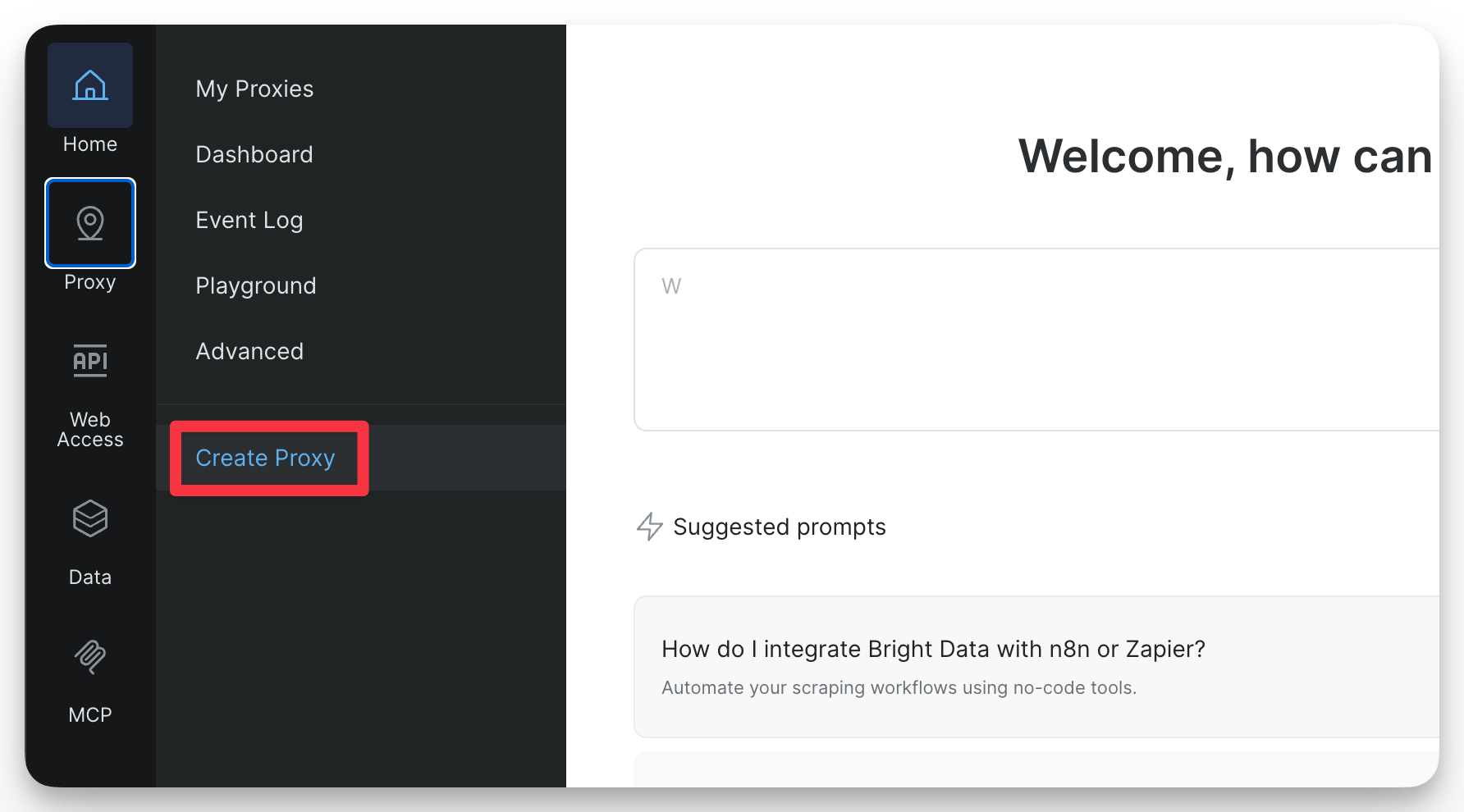
This review covers raw proxy services, especially Residential, with ISP and Datacenter as alternatives. It draws on official documentation and attributed customer feedback. Pickora has not run a paid proxy benchmark or measured speed, block rates or support response times. Images are official documentation screenshots, not captures from our own account. The opening image comes from the Residential quickstart.
Choose the network before comparing the price
Bright Data’s proxy overview separates Residential, ISP and Datacenter services. Residential is relevant when a project needs requests routed through residential peers. ISP and Datacenter deserve their own evaluation rather than being treated as cheaper equivalents for every target.
A team comparing public product information across markets may need location control. A repeatable QA job may care more about consistent sessions. These are possible buying scenarios, not workloads Pickora has completed with Bright Data.
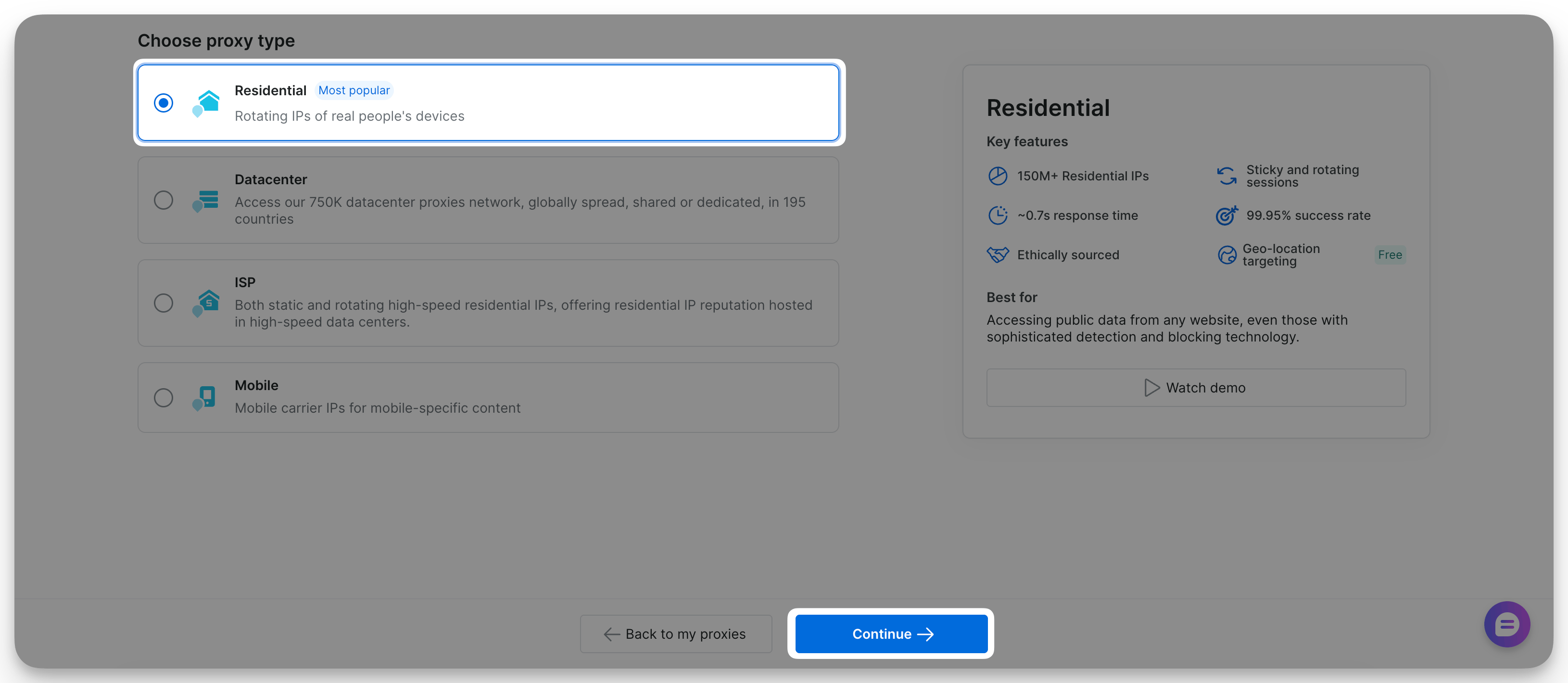
Vendor documentation screenshot: proxy-type selection. Source: Bright Data Residential quickstart.
A raw proxy changes the route of a request; it does not itself provide a cleaned spreadsheet or a finished extraction pipeline. Bright Data also sells managed products such as Web Unlocker and scraping APIs. Compare those separately if your requirement is returned data with less engineering work. Their billing units and responsibilities differ from raw proxy bandwidth.
Residential access has a business eligibility gate
The current Residential access policy is a material buying constraint. New Residential zones created after July 7, 2026 require a registered company, a corporate email domain and human-reviewed KYC approval. Personal-email accounts are not eligible for this access. Existing qualifying zones receive different treatment under the policy.
The policy also says real funds must be added before requesting KYC; Playground and Limited Trial modes do not provide that approval route. Do not interpret a general free-trial button as instant Residential access. Confirm eligibility and the permitted use case before scheduling a project around it.
This makes Bright Data a more natural prospect for an established business than an individual experimenting with Residential proxies. Its policy lists ISP, Datacenter and Web Unlocker as alternatives without the same Residential KYC requirement, although their own restrictions still apply.
Location and session settings need deliberate choices
The Residential configuration guide describes automatic rotation for shared proxies and location controls. A different peer for each request can suit some jobs; a sequence of related requests may need a session strategy instead. Check the returned content rather than assuming a successful HTTP response means the job worked.
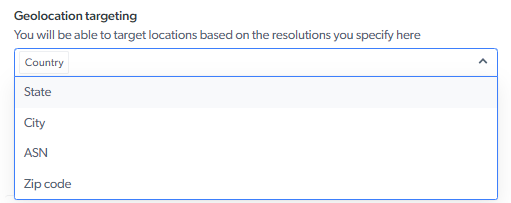
Vendor documentation image: geolocation selector. Source: Bright Data configuration guide.
The guide also lists limits for IPv6 options, including unsupported targeting parameters. A screenshot of a ZIP-code selector does not establish that every pool supports it. Match the location and protocol to the zone you intend to buy.
Our suggested evaluation begins with one approved target, one location and a small request batch. Record whether each response contains the expected page and required fields, then inspect traffic and errors. This is an evaluation plan, not a report of completed testing.
Cost: budget for traffic, then usable output
The Residential pricing page advertises pay-as-you-go traffic at a promotional $4 per GB, against a crossed-out $8 per GB, with coupon RESIGB50. Treat this as a promotion requiring confirmation, not a permanent rate. Monthly volume commitments are separate purchasing decisions; verify included traffic and the binding USD quote before buying.
As an illustrative calculation, 10GB at $4 per GB would cost $40 for that traffic; at $8 it would cost $80. This is arithmetic, not a measured workload estimate. Actual usage depends on transferred responses and job behavior. Managed API charges, tax and other applicable costs need separate consideration.
The configuration documentation supports zone spending or traffic limits. Set an appropriate cap before scaling, and retain application-level monitoring. Watch cost per usable record: cheap traffic is unhelpful when responses are incomplete, in the wrong region or unsuitable for analysis.
What customer experience adds
In a G2 review, founder Jackson A. praises the proxy network and customer service, but reports a restriction on buying additional zones. G2 labels that review as a seller invitation. It illustrates why support and account-level limits belong in a pre-purchase discussion; it is not an independently reproduced uptime result.
The broader G2 page covers raw proxies and other products, with mixed review-collection methods. We have not transferred dataset users’ experiences into a proxy-performance claim. Ask specifically about your network, targets, zone requirements and support arrangement.
Our verdict
Shortlist Bright Data if you have a defined business workload, someone responsible for integration and enough budget to evaluate the right network. Its documented controls provide specific capabilities to assess, alongside decisions about access, configuration and billing.
For an occasional job, compare the total effort with ISP or Datacenter options, or a managed extraction product. For Residential, settle business eligibility first. Buy after a limited evaluation demonstrates usable responses within budget; this review cannot promise a target’s accessibility or performance.
Questions & answers
Can a personal-email account immediately use Residential proxies?
The current policy requires a registered business, corporate email domain and human-reviewed KYC for new Residential zones after July 7, 2026. General signup or trial access does not establish Residential approval.
Has Pickora benchmarked proxy speed or success rates?
No. This review examines documentation and attributed customer feedback; it contains no Pickora speed, uptime or success-rate measurements.
Is the advertised $4 per GB a permanent price?
No permanent rate is established here. The page presents it as a coupon-based 50% promotion against $8 per GB. Confirm the applicable USD quote and conditions before purchasing.